
How to Print iPhone (HEIC) Photos in India
Why your iPhone photos are HEIC, what that breaks at most print shops, and how to print them in full quality without converting anything first.
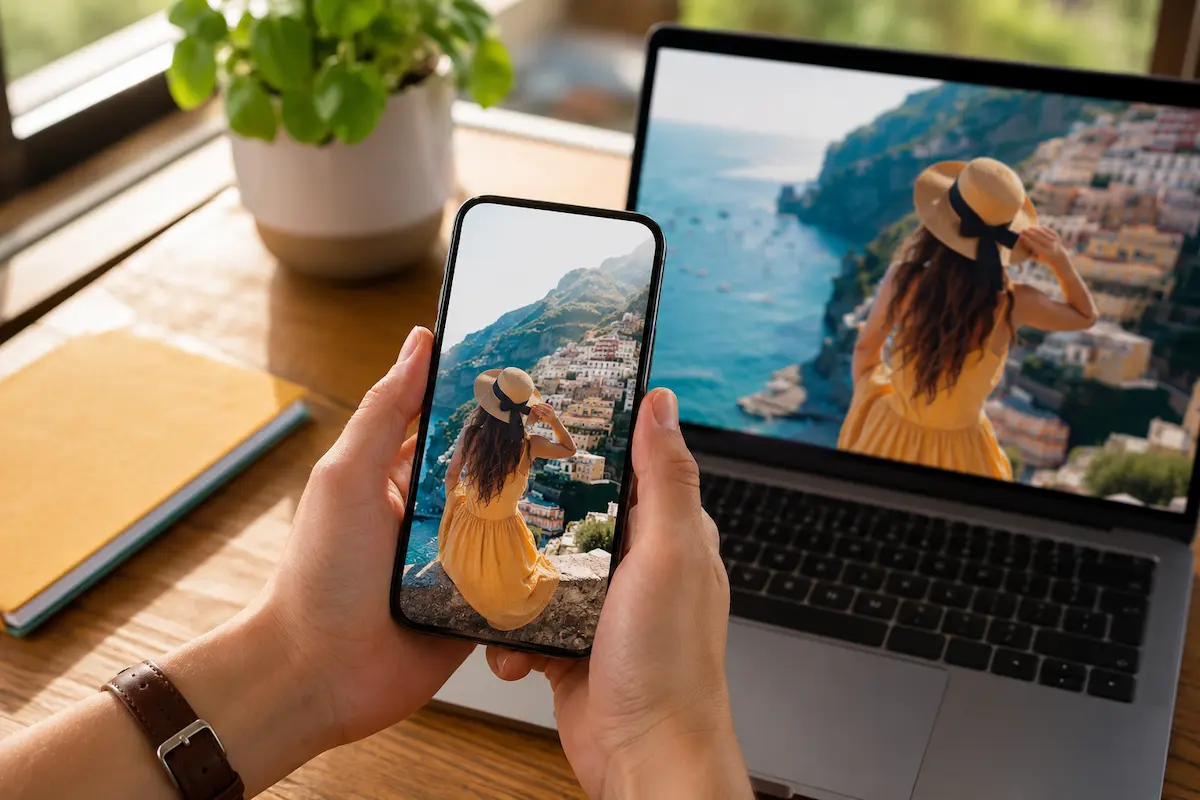
You try to print a photo from your iPhone, and the website or shop says the file is not supported, or quietly asks you to convert it first. The reason is HEIC, the format iPhones use by default. It is not a problem with your photo. It is a gap on the printing side. Here is what HEIC actually is, why it trips up so many print services in India, and the cleanest way to print iPhone photos in full quality.
Why your iPhone photos are HEIC
Since iOS 11, iPhones have saved photos in HEIC, short for High Efficiency Image Container, instead of the older JPEG. As Apple's official guide to HEIF and HEVC explains, the format stores the same image in roughly half the file size, which is why thousands of photos fit on your phone. It can also hold richer colour information than JPEG. The catch is that HEIC is newer, so a lot of older software, and a lot of print shops, simply never added support for it.
What HEIC breaks at most print shops
Walk into a neighbourhood print shop or open a generic photo app and you will often hit one of three walls: the file is rejected outright, you are asked to convert it to JPEG before uploading, or, worst of all, the system accepts it and silently mishandles the colours. The conversion route is the usual workaround, but it adds friction and, done carelessly, can compress the image and strip the quality you were trying to preserve.
The clean way: upload HEIC directly
The simplest solution is to not convert at all. Upload the original HEIC file to a print service that reads it natively, and the full quality goes straight through to print. That is how it works with us: we accept HEIC, JPG and PNG, so the photo straight out of your iPhone camera roll uploads without any conversion step. No app, no export-to-JPEG, no quality loss in between. Whether you are ordering photo prints, a canvas or a photo frame, the iPhone file works as-is.
If you do need to convert
Sometimes you have no choice, for example a shop that only takes JPEG. If so, convert properly:
- Export at full resolution from the Photos app or set your iPhone to capture in JPEG (Settings, Camera, Formats, Most Compatible) before you shoot. Converting an existing HEIC keeps the original quality if you export the full-size file.
- Never print from a screenshot. A screenshot of a photo is a lower-resolution copy of your screen, not the original image.
- Never print the WhatsApp copy. WhatsApp compresses images heavily on send. Always go back to the original in your camera roll. To share full quality, send the photo as a Document, not as a Photo.
The thing conversion cannot fix: resolution
Format is only half the story. A photo can be a perfect HEIC and still print soft if it is low resolution to begin with, a small crop, a zoomed-in shot, or an old low-megapixel image. Converting it changes nothing about that. Before ordering anything large, check the photo against our photo resolution printing guide, which shows the minimum resolution for each print size. On our side, a person checks every uploaded photo before printing, so if a file is too small for the size you chose, it gets flagged before money and time are spent.
Print your iPhone photos, as they are
Skip the conversion dance. Upload the HEIC straight from your camera roll and order. Start a photo print from ₹520, or a canvas from ₹145, with free shipping over ₹199, COD, and delivery in 3 to 5 days across India. 10,392+ customers, 4.4 stars. For more printing help, browse our photo prints guides.
Frequently Asked Questions
Can I print HEIC photos without converting them?
Why won't my iPhone photos print at some shops?
Does converting HEIC to JPEG lose quality?
How do I print a photo straight from my iPhone in India?
Why do WhatsApp photos print blurry?
People Also Ask
What is HEIC format?
Should I shoot in HEIC or JPEG on my iPhone?
How do I send a full-quality photo from my phone?
Related articles
 Christmas
Christmas and New Year Personalised Photo Gift Guide
Skip the generic hampers this Christmas. Personalised photo gifts turn the year's best moments into presents people actually keep.
Read More Photo Frames
Family Photo Frame Ideas: Sizes, Layouts and Where to Hang
A family photo frame works when every face is easy to see from across the room. That depends on the photo, a size matched to the number of people, and the right wall.
Read More Birthday
Birthday Gift for Mom: Useful, Personal and Made from Her Own Photos
Mothers take most of the family photos and appear in the fewest. A collage made only of photos of her is a birthday gift she will not have seen coming.
Read More
Ready To Print Your Own Photos?
Turn your favourite memories into canvas prints, photo frames and photo collages — printed in India and delivered to your door.
Start Creating