
How to Pick the Right Photo for Printing: A Resolution Guide
Megapixels, WhatsApp compression, screenshots and HEIC files: everything that decides whether your photo prints sharp, in plain language.
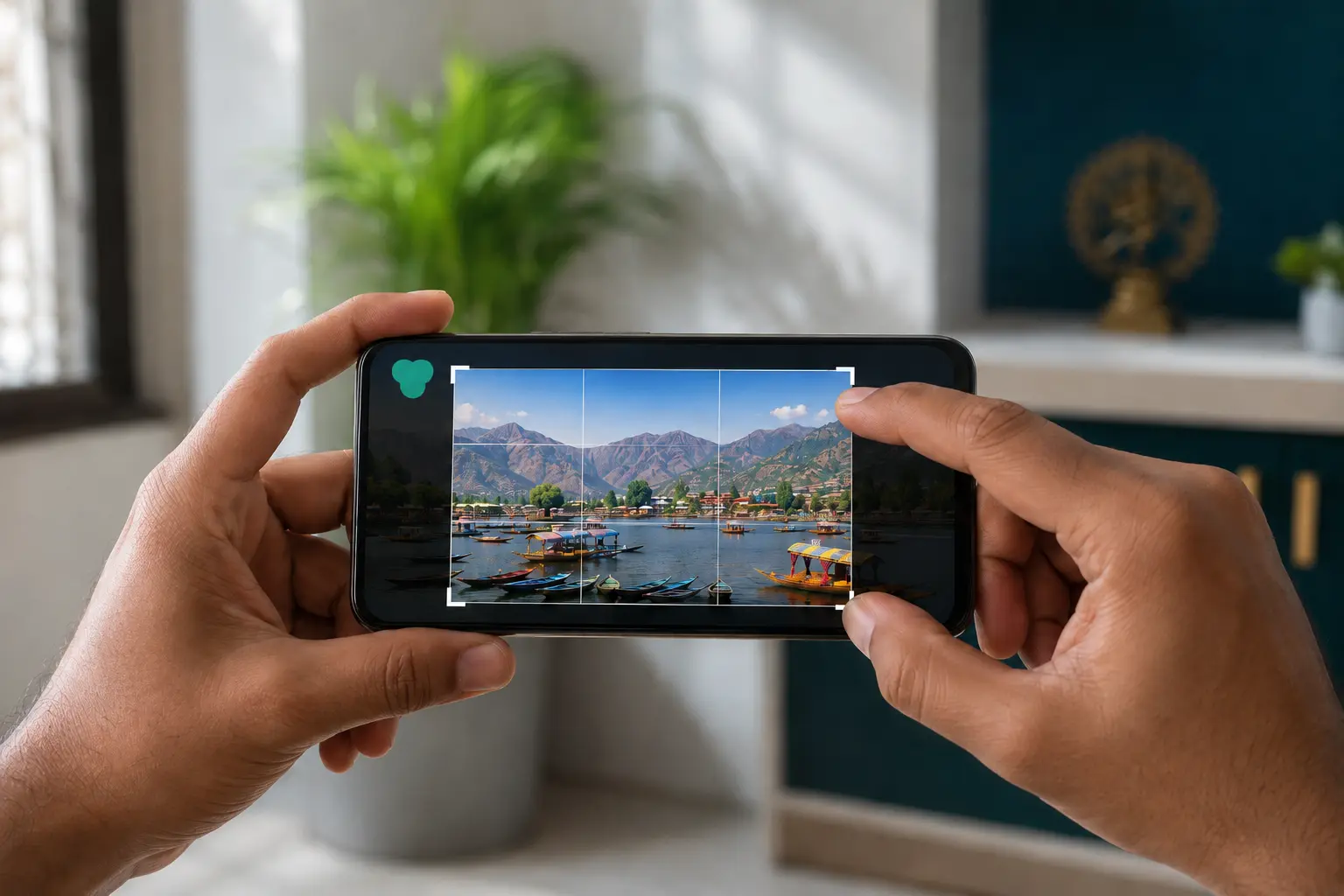
The photo resolution for printing you need is lower than most people fear: any sharp, original 12 MP phone photo, which is what most phones have shot for years, prints beautifully from a small 4x6 right up to a large wall canvas. The real reasons prints come out blurry are WhatsApp compression, screenshots and crops, not weak cameras. This guide shows you exactly how to pick a photo that will print sharp.
What resolution do you need to print photos?
Print sharpness comes down to pixels per inch (PPI): how many pixels of your photo are spread across each inch of paper or canvas. The industry standard for crisp, view-it-up-close prints is around 300 PPI (you will often see the same number written as 300 DPI), and as Adobe's print resolution guide explains, large prints can go comfortably lower because you view them from further away. That is the same reason billboards look fine despite low resolution.
In practice, here is what common photo sizes need, and what that means in megapixels:
- 4x6 photo print: needs roughly 2 MP (1200 x 1800 pixels). Practically every photo you own qualifies.
- 8x10 / 8x12 framed print: needs roughly 7 to 8 MP at full sharpness. Any phone photo from the last decade clears this.
- 12x18 print or canvas: a 12 MP original is comfortably enough. This is standard phone-camera territory.
- 16x24 and larger canvas: a clean 12 MP photo still works well, because wall art is viewed from a few feet away where 150 to 200 PPI looks sharp.
- Very large statement canvas: the bigger the wall piece, the more viewing distance forgives. A sharp, well-lit 12 MP image goes surprisingly far.
The short version: if it is the original file and it looks sharp when you zoom in on your phone, it will print well at the sizes most homes actually order. The danger is never the camera. It is what happened to the file after the photo was taken.
How to print WhatsApp photos without the blur
This is the single biggest cause of disappointing prints in India, so it deserves its own section. When a photo is sent through WhatsApp the normal way, the app compresses it aggressively to save data, shrinking its dimensions and stripping detail. Even WhatsApp's own "HD" option compresses; as WhatsApp's help page on HD photos notes, HD preserves more detail than standard quality but is still not the original file.
A wedding photo that left the photographer's studio at 24 MP can arrive on your phone as a soft, blocky file a fraction of that size after two or three forwards. On a phone screen it looks passable; printed at 12x18, every compression artefact shows.
What to do instead:
- Ask for the original. Get photos via Google Drive, email attachment, or a direct transfer, not a WhatsApp forward.
- If WhatsApp is the only option, send as a document. Attach the photo using the document option rather than the gallery option. Documents are sent without the heavy image compression.
- Go back to the source. If the photo was taken on a family member's phone, ask them to upload the original themselves. It takes two minutes on our create flow.
How to check a photo's resolution on your phone
It takes ten seconds and saves a reprint.
- On Android: open the photo in Google Photos or your gallery app, tap the three-dot menu (or swipe up on the photo), and look at the details. You will see the megapixels and pixel dimensions, e.g. "12.2 MP · 4032 x 3024".
- On iPhone: open the photo in the Photos app and swipe up, or tap the "i" info button. iOS shows the format (HEIF/JPEG), megapixels and dimensions.
What you are looking for: dimensions in the thousands (like 4032 x 3024) mean an original; dimensions like 1280 x 960 or smaller usually mean a compressed forward or an old download. As a quick gut-check against the list above: 1200 x 1800 covers a 4x6, and 3600 x 5400 covers a 12x18 at full 300 PPI.
Screenshots are not photos
A screenshot captures your screen, not the photo. Its resolution is whatever your display is, with the photo often occupying only part of the frame, plus status bars, chat bubbles or app buttons baked in. Screenshotting a photo from Instagram or a chat and printing it is how you get soft prints with mysterious cropped edges.
The fix is always the same: find the actual file. Save the original from the app if it allows it, or ask whoever posted it to send the real photo. The same goes for heavy crops. Cropping into a small face in a group photo throws away most of the pixels, so a tight crop of a 12 MP image might leave only 1 to 2 MP of usable detail. Crop modestly, or pick a photo where the subject is already large in the frame.
Lighting and focus matter as much as resolution
Resolution is necessary but not sufficient. A 50 MP photo shot in a dim room at a wobbly arm's length will print worse than a steady 12 MP daylight shot. Before uploading, zoom to 100% on the faces and check:
- Focus: are the eyes sharp, or slightly smeared? Phone screens hide mild blur that paper does not.
- Light: daylight and well-lit rooms produce clean detail; dim shots have grain ("noise") that becomes visibly speckly in print.
- Motion: kids and pets mid-leap are wonderful when the camera froze them. If there is ghosting on a phone screen, there will be ghosting on canvas.
For paper-finish decisions once you have the right photo, our gloss vs matte guide covers which surface suits which image.
iPhone HEIC files are welcome as they are
iPhones save photos in HEIF format (files ending in .heic) by default, a newer standard that, as Apple's HEIF documentation explains, stores the same visual quality as JPEG in smaller files. Some printing workflows choke on HEIC and force you through fiddly conversions that can quietly degrade quality.
You can skip all of that: Picsin accepts HEIC, JPG and PNG uploads directly. Upload the photo exactly as it sits on your iPhone: no conversion apps, no emailing it to yourself, no quality lost in translation.
A human checks every photo before printing
Here is the part that should take the anxiety out of all of the above: at Picsin, every order goes through a human preprint check before anything is printed. A real person looks at your photo at the size you ordered. If the resolution is too low, the crop has cut off someone's head, or the image will not do the size justice, we contact you before printing, not after a blurry print lands at your door.
So treat this guide as a way to get it right the first time, not a test you can fail. Pick the best original you have, upload it, and we will flag anything that needs a second look.
Print the originals, not the forwards
Your best photos deserve better than living inside a chat thread. Start small with photo prints from ₹180 (create a 4x6 set in minutes), or go bigger with a canvas print from ₹145, a photo collage from ₹263, or a framed picture from ₹1,022. HEIC, JPG and PNG all welcome; every photo human-checked; free shipping over ₹199 with COD available, delivered in 3 to 5 business days across India. More printing know-how lives in our photo prints guides.
Frequently Asked Questions
What resolution do I need to print a photo?
Can I print photos sent on WhatsApp?
Does Picsin accept HEIC files from iPhone?
How do I check my photo's resolution on my phone?
What happens if my photo is too low resolution to print?
People Also Ask
Is 12 MP enough to print a large canvas?
Why do my printed photos look blurry when they look fine on my phone?
Are screenshots good enough quality to print?
What is the difference between PPI and megapixels?
Related articles
 Wedding
Wedding Photo Display Ideas: From Reception to Living Room
What to do with your wedding photos after the album closes: display ideas for the reception, the first home, the bedroom and every anniversary after, matched to the right print format.
Read More Diwali & Deepawali
Diwali Home Décor with Personal Photos
Cleaning the house for Diwali anyway? Refresh your walls too: family photo canvases, placement that suits warm light, gallery walls for gatherings, and the right time to order.
Read More Wedding
Photo Collage Ideas for Weddings
From haldi-to-reception event grids to a journey-of-the-couple timeline: wedding photo collage concepts, photo counts, and the right finish
Read More
Ready To Print Your Own Photos?
Turn your favourite memories into canvas prints, photo frames and photo collages — printed in India and delivered to your door.
Start Creating